How One Map Embed Tweak Fixed a Fort Worth Shop’s Visibility
It is a story I hear all too often in the Dallas-Fort Worth metroplex. A business owner in the heart of Fort Worth – perhaps near the bustling West 7th district or tucked away in the historic Stockyards – invests heavily in their digital presence. They’ve claimed their Google Business Profile (GBP), they’ve hounded customers for five-star reviews, and they’ve uploaded high-resolution photos of their storefront. Yet, when they search for their services from a few blocks away, they are nowhere to be found in the coveted “Map Pack.”
They feel “ghosted” by Google. Despite doing everything by the book, they are losing calls to national brands or competitors three miles further away. In 2026, the local search landscape has shifted. Standard optimization – the kind that worked in 2020 – is no longer enough to bypass the increasingly aggressive “proximity filter” and “neighborhood filter” that Google uses to determine relevance. Many Fort Worth shops are suffering from invisible technical errors that prevent Google from connecting the dots between their physical location and their digital authority.
As an SEO expert who has spent years dissecting the nuances of google business profile seo, I’ve discovered that the solution often isn’t more reviews or more keywords. Often, the “fix” lies in a single, overlooked technical detail: how your website communicates its physical location to Google’s crawlers. Specifically, a simple tweak to your website’s Google Map embed can be the catalyst that finally breaks through the ranking ceiling. In this guide, I’m going to show you exactly how we used a technical map embed adjustment to save a Fort Worth business from digital obscurity.
Why Most Map Embeds Are Broken (and Hurting Your Rank)
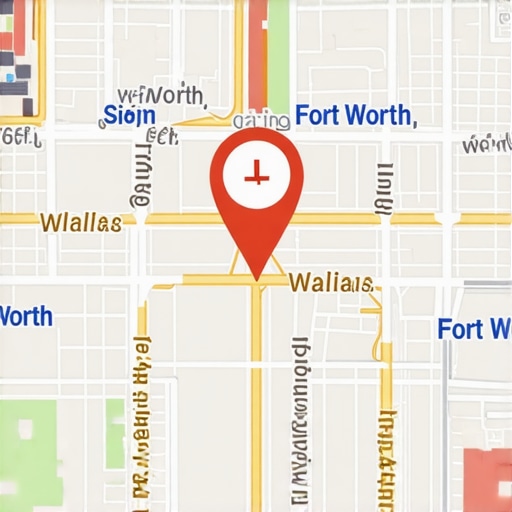
If you look at the footer or contact page of 90% of small business websites in Fort Worth, you’ll see a Google Map. Usually, the business owner or a junior developer simply went to Google Maps, typed in the address, clicked “Share,” and pasted the iframe code into the site. While this provides a visual guide for human visitors, it does very little for your rank google business profile efforts.
The problem with a “lazy” iframe embed is that it lacks context. To a search engine, that iframe is just a window to another site. It doesn’t necessarily “prove” that the website it lives on is the definitive owner of that specific Google Business Profile. In the world of Local SEO, we talk a lot about NAP (Name, Address, Phone) consistency. However, NAP consistency isn’t just about the text on the page; it’s about the underlying data structures. If your embed is just a generic map of an address, you are missing a massive opportunity to reinforce your entity’s authority.
Furthermore, many businesses fail to surround their map with local relevance. A map sitting in a vacuum tells Google nothing about your service area. This is a topic I explored deeply in my previous article, “Why Your Website’s Map Embed Isn’t Helping Your Fort Worth Rank and How to Fix It”. Without the right technical configuration, your map is just a decoration. To truly compete, you need to use local seo tools to ensure that every element on your page – from the header to the map embed – is working in unison to verify your location. If Google detects even a slight mismatch between your website’s data and your GBP data, the neighborhood filter will likely suppress your rankings to favor a more “trusted” entity.
Another common mistake is the “Citation Gap.” When your map embed doesn’t link directly to your CID (Customer Identification) number, Google has to guess if the business on the map is the same as the business on the website. This ambiguity is a ranking killer. For more on this, check out “The Citation Errors That Keep Your Shop Off the Fort Worth Map”.
The “Tweak”: Integrating Schema and the hasMap Field
The real “meat” of this strategy involves moving beyond the visual and into the structural. To fix a shop’s visibility, we must bridge the gap between the website’s code and the Google Business Profile using LocalBusiness JSON-LD Schema. This is the language Google speaks.
In 2026, the most critical component of your schema is the hasMap property. This field allows you to explicitly tell Google, “This is the exact map that represents my physical location.” But you can’t just put any URL there. To maximize google business profile seo, you should use the specific CID or Place ID URL. This creates a direct, unbreakable link between your site and your GBP.
Technical Instructions for the Map Tweak
- Step 1: Generate LocalBusiness Schema. Ensure your website has a robust JSON-LD block that includes your legal name, physical address, and phone number exactly as they appear on your GBP.
- Step 2: Use the `hasMap` Property. Within your schema, include the
hasMapfield. The value should be the URL of your Google Maps listing. - Step 3: The CID Embed. Instead of embedding a map based on a text search of your address, use your CID-based URL. This ensures that the map is technically tied to your unique business entity, not just the building you occupy.
- Step 4: Align Service Areas. As noted by schemavalidator.org, you must publish NAP-consistent LocalBusiness schema with geo-coordinates, hours, and service areas that match your profile perfectly.
By implementing the hasMap property, you are essentially giving Google a map of your data. You are removing the guesswork. When Google’s bots crawl your site, they see the schema, follow the hasMap link to your GBP, and find a 100% match in NAP and coordinates. This level of “Data Hygiene” is the backbone of what I call “Maps Mastery.” It signals to Google that your business is a legitimate, authoritative fixture in the Fort Worth community, making it much harder for the proximity filter to push you out of the results.
Case Study: The Fort Worth Shop Turnaround
Let’s look at a real-world example of this in action. We recently worked with a plumbing business located near the Magnolia Avenue area in Fort Worth. Despite having a physical office and a decade of experience, they were buried on page 2 for the search term “plumber near me,” even when the searcher was standing less than a mile away. They were being outranked by “lead gen” sites and national franchises that didn’t even have a physical presence in the 76104 zip code.
Upon auditing their site, we found a “lazy” map embed and absolutely no LocalBusiness schema. Their website was essentially a brochure that didn’t talk to Google’s local algorithm. We took the following actions:
- We updated their site with comprehensive JSON-LD schema, including the
hasMapproperty pointing to their specific CID. - We replaced their standard iframe with a map embed that specifically referenced their Place ID.
- We added “Neighborhood Signals” around the map, mentioning their proximity to local landmarks like Cook Children’s Medical Center and the Near Southside district.
- We utilized a google maps rank tracker to monitor the results in real-time.
The results were staggering. Within 14 days, the business jumped from the middle of page 2 to the #2 spot in the Map Pack for their primary keywords. By aligning the technical “under-the-hood” data with the visual map, we proved to Google that this business was the most relevant local entity. This wasn’t just about “SEO”; it was about fixing a broken communication line between the shop and the search engine.
Beating the 2026 Proximity & Neighborhood Filter
As we move further into 2026, Google’s reliance on AI and neural matching means that the “context” of your location is more important than ever. Google isn’t just looking at your zip code; it’s looking at how your business fits into the fabric of specific neighborhoods. Whether you are in Tanglewood, Rivercrest, or the North Side, your digital footprint must reflect that local nuance.
Google uses website signals to verify a business’s physical presence. If your website mentions “Fort Worth” but doesn’t provide the technical data (like geo-coordinates in schema) to back it up, you will struggle to rank outside of a very small radius. This is the “5-mile test.” For many Fort Worth businesses, rankings often drop off a cliff the moment a user leaves the immediate city limits or crosses into a different neighborhood. To combat this, you must learn “How to Beat the 2026 Fort Worth Map Proximity Filter”.
The key to winning in 2026 is providing “Machine-Readable NAP.” Humans read your “About Us” page, but Google’s algorithm reads your schema and your API-driven map embeds. By providing a google maps ranking service that focuses on these technical details, you can expand your “radius of influence.” This allows a shop in the Cultural District to show up in searches performed by users in Benbrook or Haltom City, effectively bypassing the standard proximity constraints.
We also advise businesses to look at their “Neighborhood Clusters.” If you want to dominate Fort Worth, you need to show Google that you are relevant to the specific clusters where your customers live and work. This is where your map embed tweak pays off the most – it serves as the anchor for all your other local SEO efforts, ensuring that every blog post and backlink is tied back to a verified, technically-sound physical location. For more strategies on local dominance, see “How to Dominate Fort Worth Local SEO and Outshine Competitors at 4:30 PM.”
Tools for Dominance
Manually auditing every technical aspect of your Local SEO can be a grueling process. If you are managing multiple locations or competing in a high-density area like DFW, you cannot afford to guess. This is where professional-grade local seo software becomes essential.
I recommend using SEO Viper Tools to perform a deep-dive audit of your competitors. By analyzing how the top-ranking shops in Fort Worth are structured, you can identify the gaps in your own strategy. Are they using the hasMap property? Is their schema more detailed than yours? Do they have more “local justification” snippets appearing in the search results?
Using a dedicated google maps ranking service or toolset allows you to automate the tracking of your Map Pack positions across different grid points in the city. Remember, your rank in the Stockyards is not the same as your rank in Hulen. You need granular data to win. We actually tested 4 local SEO tools to see which actually tracks Fort Worth rankings accurately, and the results showed that most generic tools fail to capture the nuances of the DFW neighborhood filters.
Conclusion: Claim Your Spot in the Fort Worth Map Pack
The difference between a thriving Fort Worth business and one that is struggling for leads often comes down to technical precision. A map embed might seem like a small detail, but in the complex ecosystem of 2026 Local SEO, it is a vital signal of trust and authority. By implementing the hasMap schema property and ensuring your map embed is tied to your CID, you are giving Google the “proof” it needs to rank you above the competition.
Don’t let your shop be ghosted by the proximity filter. Take control of your data hygiene, align your technical signals, and use the right local seo tools to monitor your progress. If you’re ready to see your business at the top of the Fort Worth Map Pack, start with the map tweak today. Or, if you want a professional eye on your strategy, reach out to me, John Buchanan, for a comprehensive Fort Worth Local SEO audit. Let’s make sure your business is seen by the people who matter most – your local neighbors.